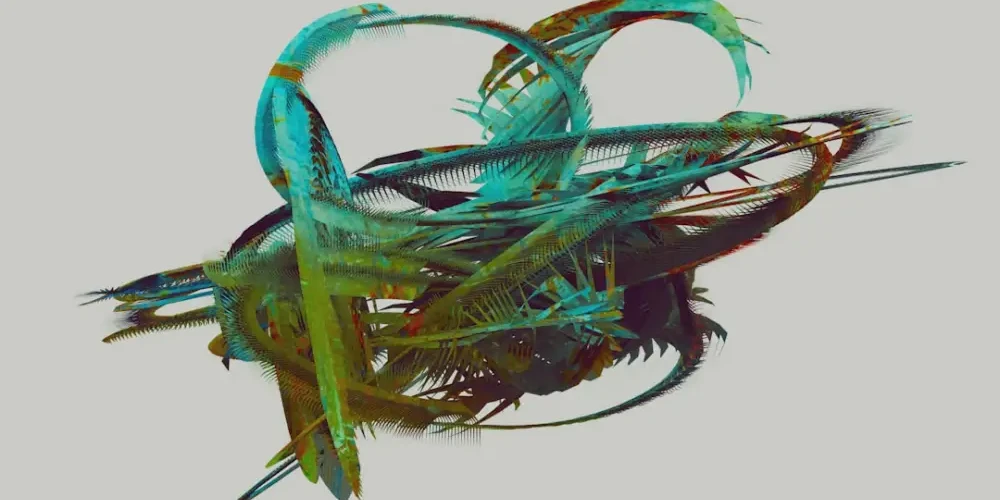
The Shift from Manual Vertex to Creative Vision
For decades, building a 3D world was a test of patience as much as it was a test of skill. You’d spend hours extruding faces, manually unwrapping UVs, and fighting with topology. But today, the experience of building 3D environments has shifted. Using AI tools doesn’t mean the work has disappeared; rather, the nature of the work has evolved from ‘technical execution’ to ‘creative direction.’
When you sit down to build a 3D world with AI in 2025, it feels less like being a construction worker and more like being a film director. You are managing a team of incredibly fast, slightly unpredictable digital assistants. Here is the practical reality of what that workflow looks like and how it actually feels to navigate this new landscape.
The Prompting Phase: Laying the Foundation
The first thing you’ll notice is how much faster the ‘blockout’ phase happens. In a traditional workflow, creating a rough layout of a city or a forest could take a full day. With AI-assisted tools, you start with a vision. You aren’t just clicking a ‘make world’ button; you are defining parameters.
Whether you are using text-to-3D generators or image-to-3D pipelines, the process usually begins with a prompt or a reference image. It feels like a collaborative brainstorming session. You might ask an AI tool to generate a ‘modular sci-fi hallway with brutalist architecture,’ and within seconds, you have ten variations. The thrill isn’t just in the speed—it’s in the immediate visualization of ideas that used to stay locked in your head for hours.
The Iteration Loop
Practical 3D world-building with AI is rarely a one-shot deal. It feels like a constant loop of: Prompt -> Generate -> Critique -> Refine. You might like the shape of a generated building but hate the texture. Instead of starting over, you use AI to ‘inpainting’ specific sections or use image-to-depth tools to extract the geometry you want while discarding the rest.
A Practical Toolkit for AI World Building
To understand the feeling of this workflow, you have to look at the tools currently defining the space. It isn’t just one software; it’s a stack of specialized AI assistants.
- Gaussian Splatting: This feels like magic. You take a video of a real-world location, and the AI reconstructs it into a 3D scene that you can walk through. It feels like capturing a memory rather than building a model.
- Generative Mesh Tools: Tools like Rodin or Luma AI allow you to turn a simple 2D sketch into a usable 3D asset. It feels like your sketches are finally coming to life.
- AI Skybox Generators: Creating an atmosphere used to require complex HDRI setups. Now, tools like Blockade Labs let you describe a sky—’stormy neon sunset over a desert’—and instantly wrap your world in that vibe.
- Neural Texture Mapping: Instead of painting every brick, you describe the material properties, and the AI handles the PBR (Physically Based Rendering) maps for roughness, normals, and metallic values.
The ‘Reality Check’: Managing the Mess
While the marketing for AI tools makes it look effortless, the practical experience involves a fair amount of ‘janitorial work.’ AI-generated meshes are often ‘messy.’ They might have high polygon counts in the wrong places or strange ‘hallucinations’ in the geometry.
Building a world with AI feels like being a sculptor who starts with a very rough, machine-cut block of marble. You still need your traditional skills—retopology, vertex painting, and lighting—to polish that block into a professional-grade environment. You spend less time on the ‘what’ and more time on the ‘how it fits together.’ This is where the skill of the ‘Spatial Generalist’ comes into play; you need to understand the whole pipeline to fix the small errors the AI inevitably makes.
Navigating the Uncanny Valley of Geometry
Sometimes, an AI-generated asset looks perfect from a distance but falls apart upon closer inspection. The practical builder learns to use AI for background elements (the ‘mid-ground’ and ‘far-ground’) while manually crafting the ‘hero assets’ that the player or viewer will interact with directly. This hybrid approach is the secret to a high-quality 3D world in the AI era.
The Emotional Experience: From Frustration to Flow
Perhaps the most significant change is the emotional state of the creator. Traditional 3D work often involves ‘the wall’—that point in a project where technical hurdles (like crashing renders or broken rigs) kill your creative momentum.
With AI, you stay in a state of ‘flow’ for much longer. Because the AI handles the repetitive tasks, you spend more time making high-level creative decisions. It feels empowering. You can experiment with five different art styles for your world in the time it used to take to set up one lighting rig. This fosters a sense of ‘digital curiosity,’ where you aren’t afraid to try wild ideas because the cost of failure is so low.
Conclusion: The New Role of the Designer
Building 3D worlds with AI doesn’t replace the artist; it elevates them. It feels like moving from being the person who lays the bricks to being the architect who designs the skyline. You are still responsible for the composition, the story, and the ‘feel’ of the world.
If you’re looking to start, don’t wait for the ‘perfect’ tool. Start experimenting with small generative assets today. The future of digital design isn’t about mastering a single piece of software; it’s about mastering the ability to collaborate with intelligent systems to bring your imagination into three-dimensional reality.
Related Posts
How to build digital humans that actually look and move naturally
Stop building wax figures. Learn why…